Your wedding, under control.Budget, guests, and tasks, held together.
OPHIRA is your private planning space. You make the decisions. It keeps everything organized and shows you what’s next.
Free for the two of you. No credit card.
Your next step
Confirm the venue
This week · High priority
68 confirmed
$134,000 committed
Planning a wedding has become a second job.
Quotes over WhatsApp, on Instagram, in email. Sites that treat you like a sales lead. A spreadsheet only you can read. The problem isn’t how organized you are. It’s a process that’s been split across a dozen different places.
OPHIRA doesn’t list vendors and it doesn’t rank them. It won’t show you two hundred options or sell your attention. It’s your own private place to plan: your numbers, your people, and your decisions, in order.
How it works
From engaged to a clear plan, in three steps.
- 01
Set your starting point
Answer a few questions (date, estimated budget, priorities) and OPHIRA sets up your space from there.
- 02
Your wedding takes shape
Your budget splits into the categories a wedding in Mexico actually has: mariachi, the candy table, and padrinos, whose help comes off your total. Your tasks sort themselves by stage, and your guest list is ready for the first name you add. No spreadsheets. No endless tabs.
- 03
Keep moving without losing the thread
No pushy notifications. No one else’s wedding to measure yours against. Just you, your partner, and a clear next step.
This is exactly what you’ll use.
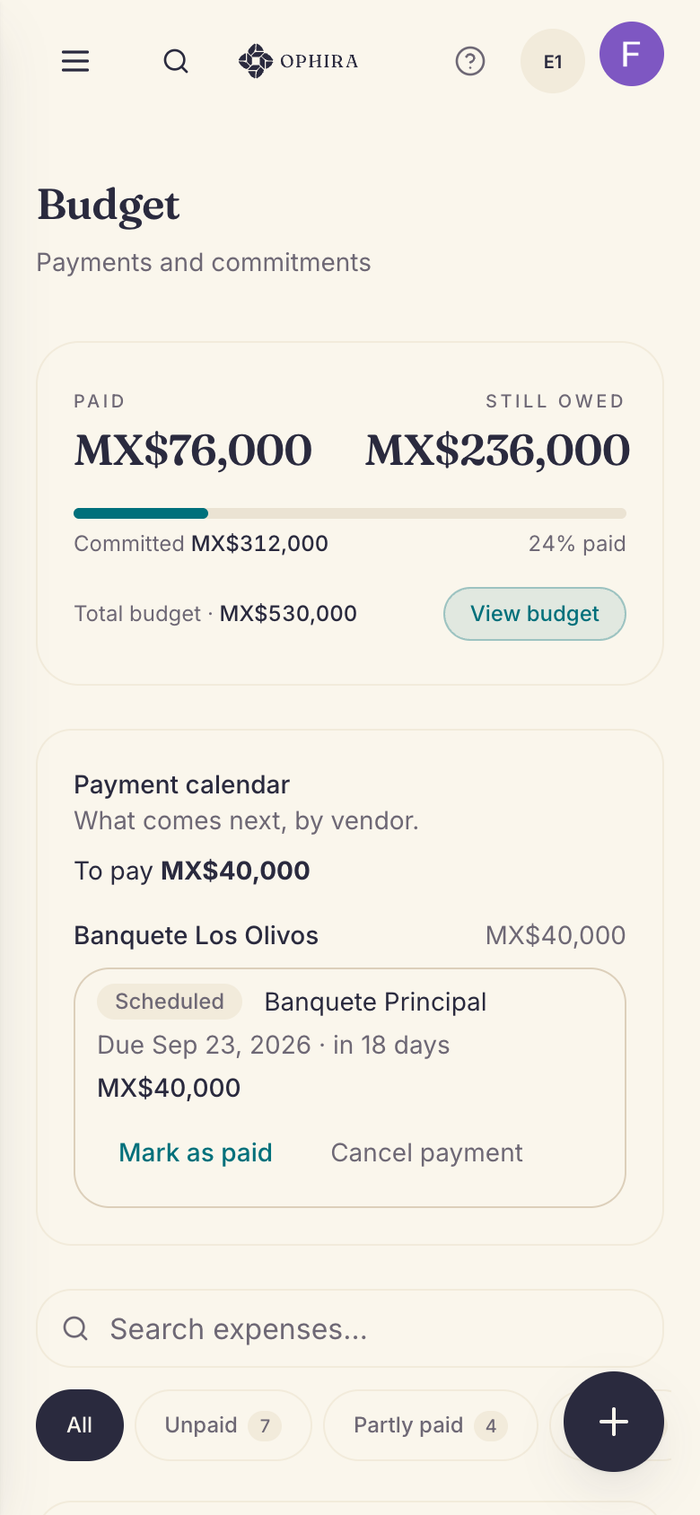
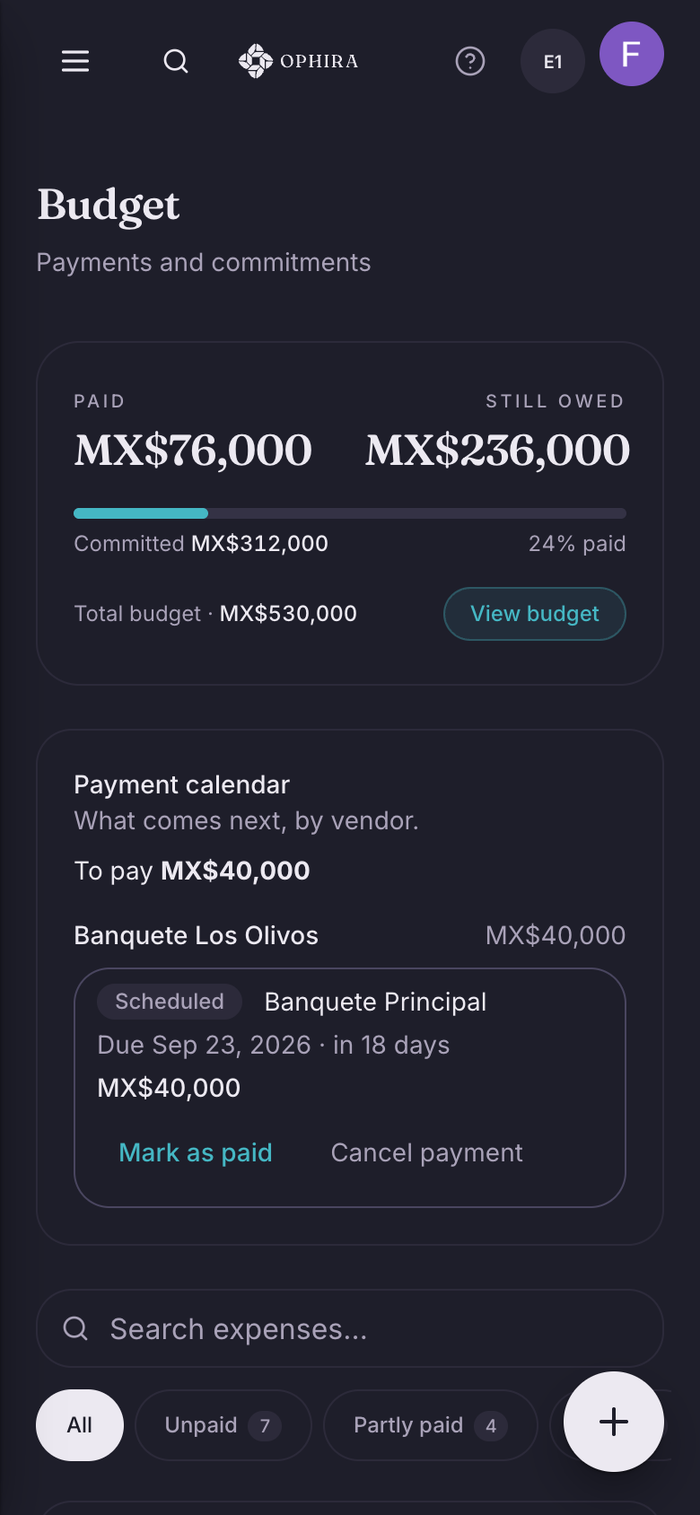
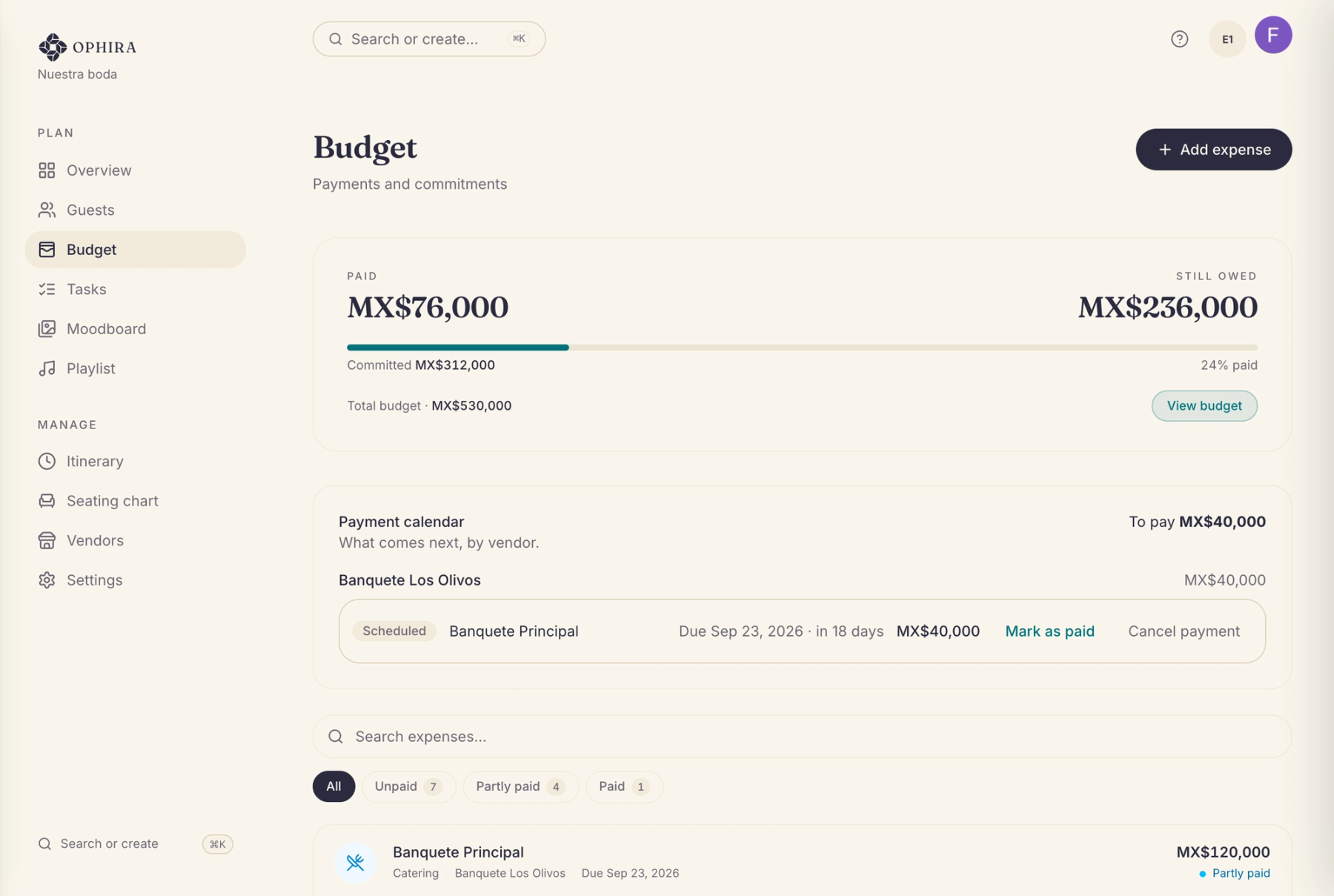
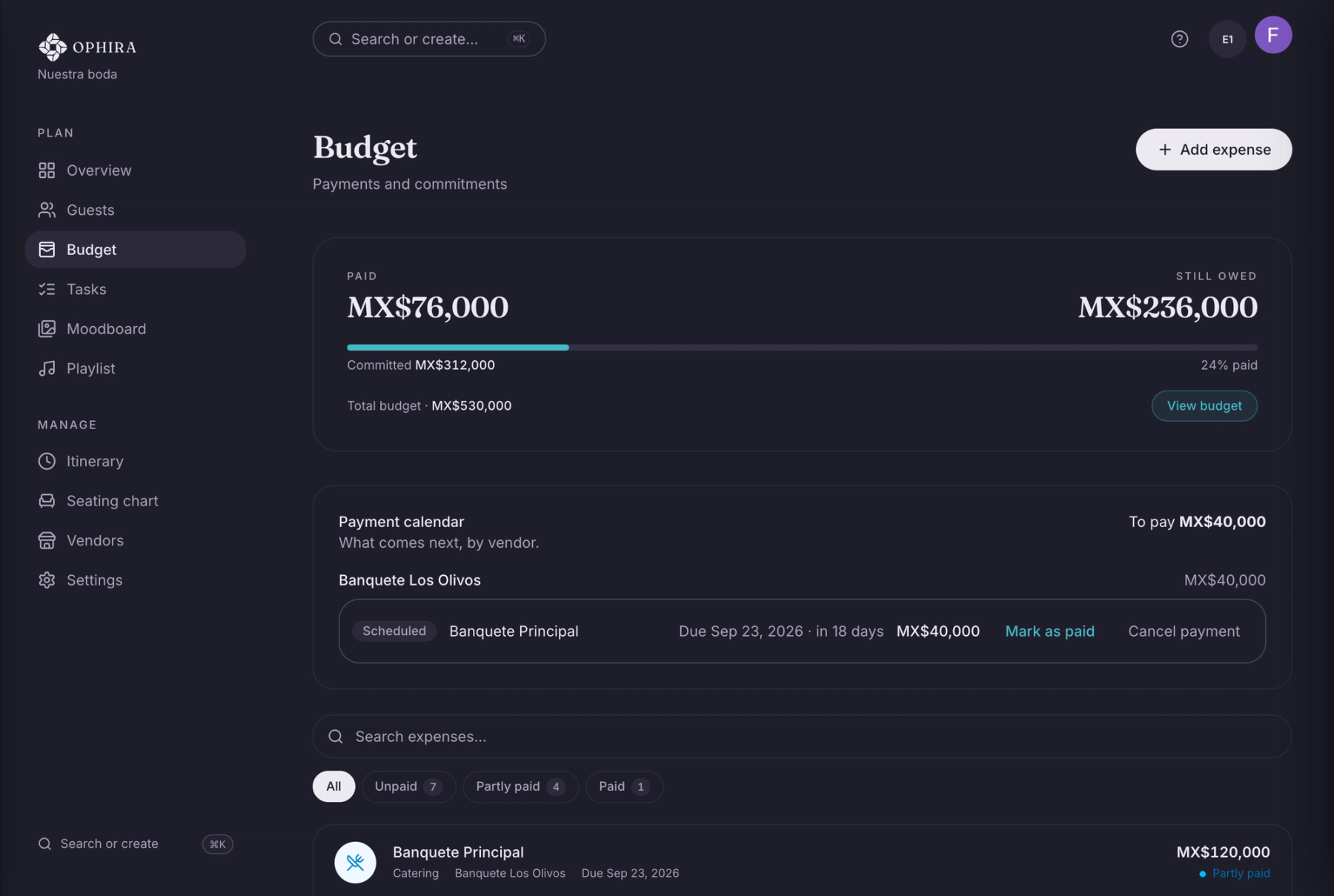
Your budget in pesos
Committed and paid aren’t the same. See them separately, with every expense and payment in view.
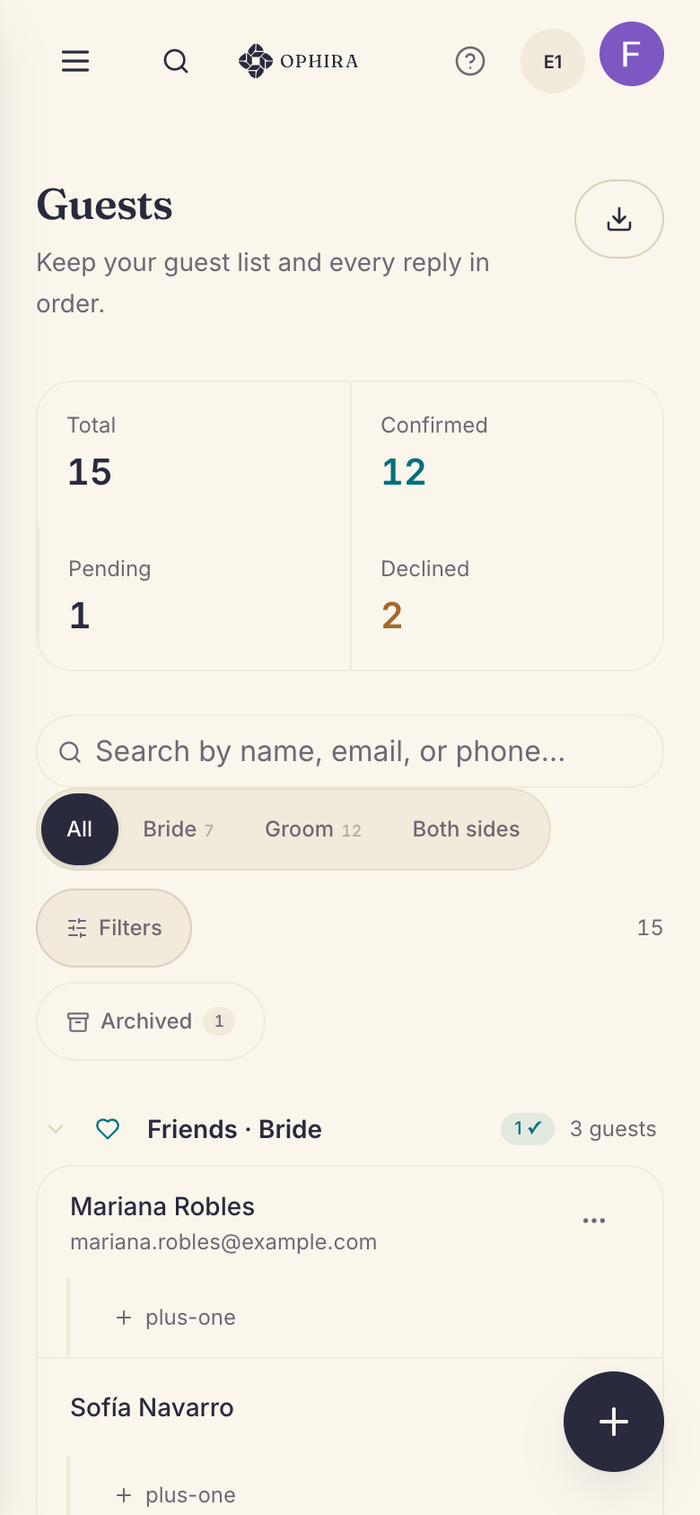
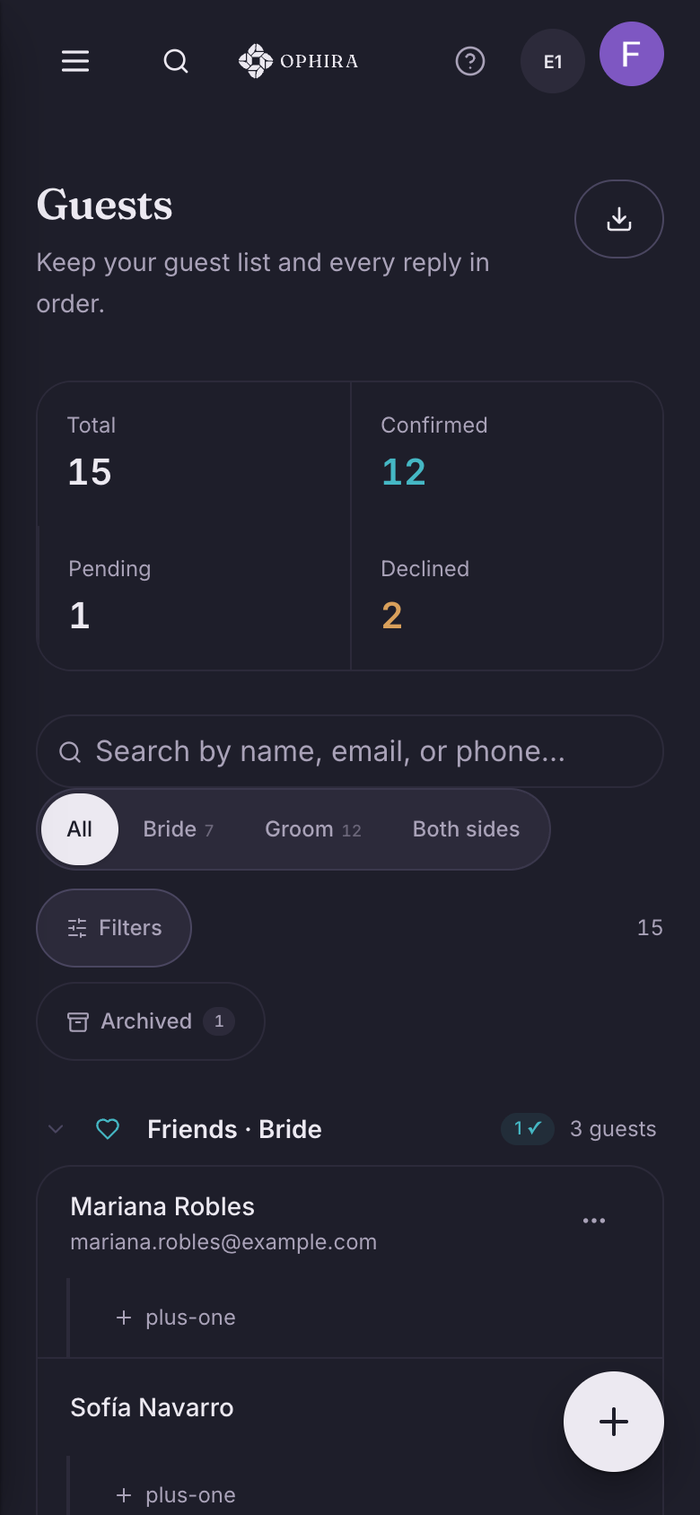
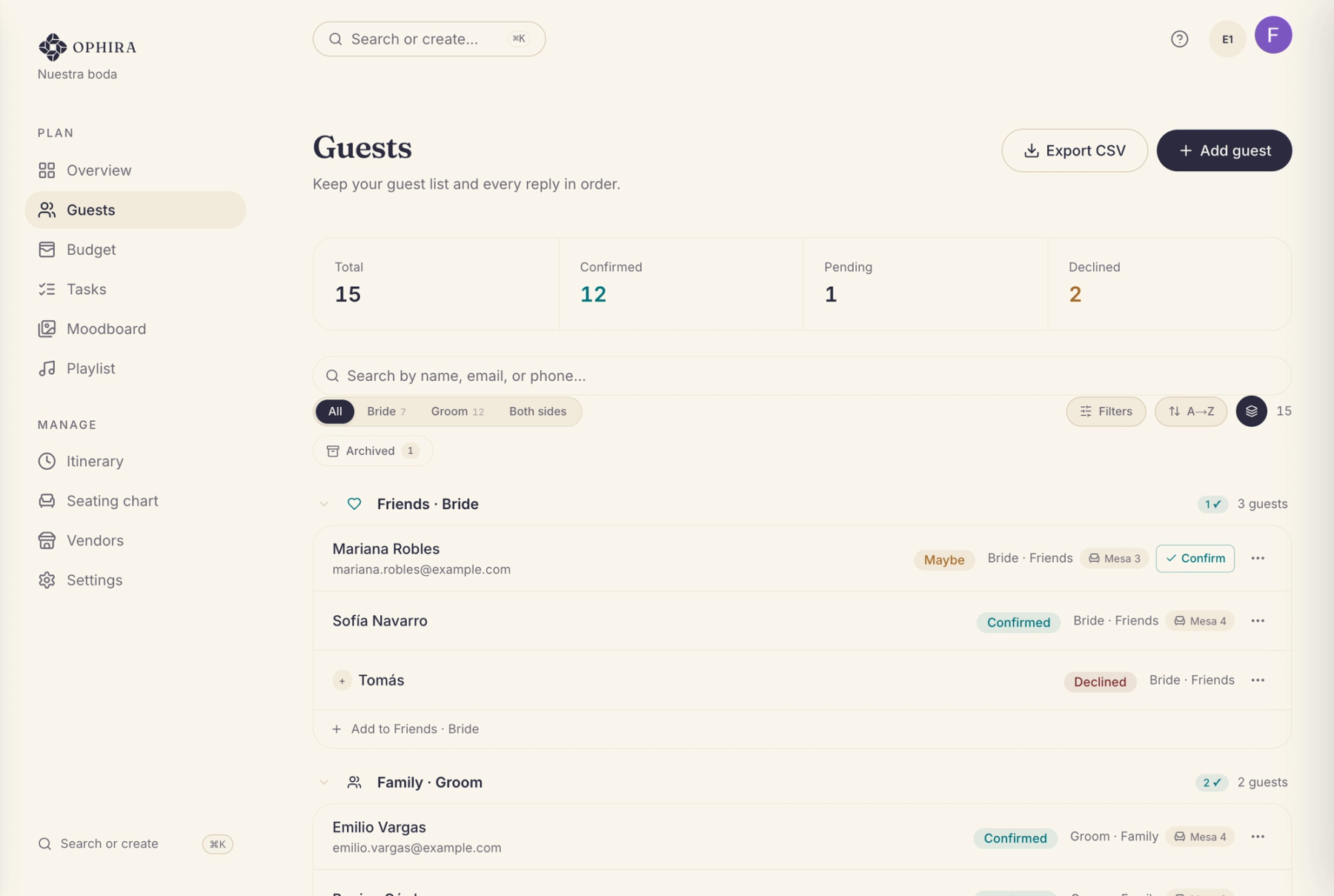
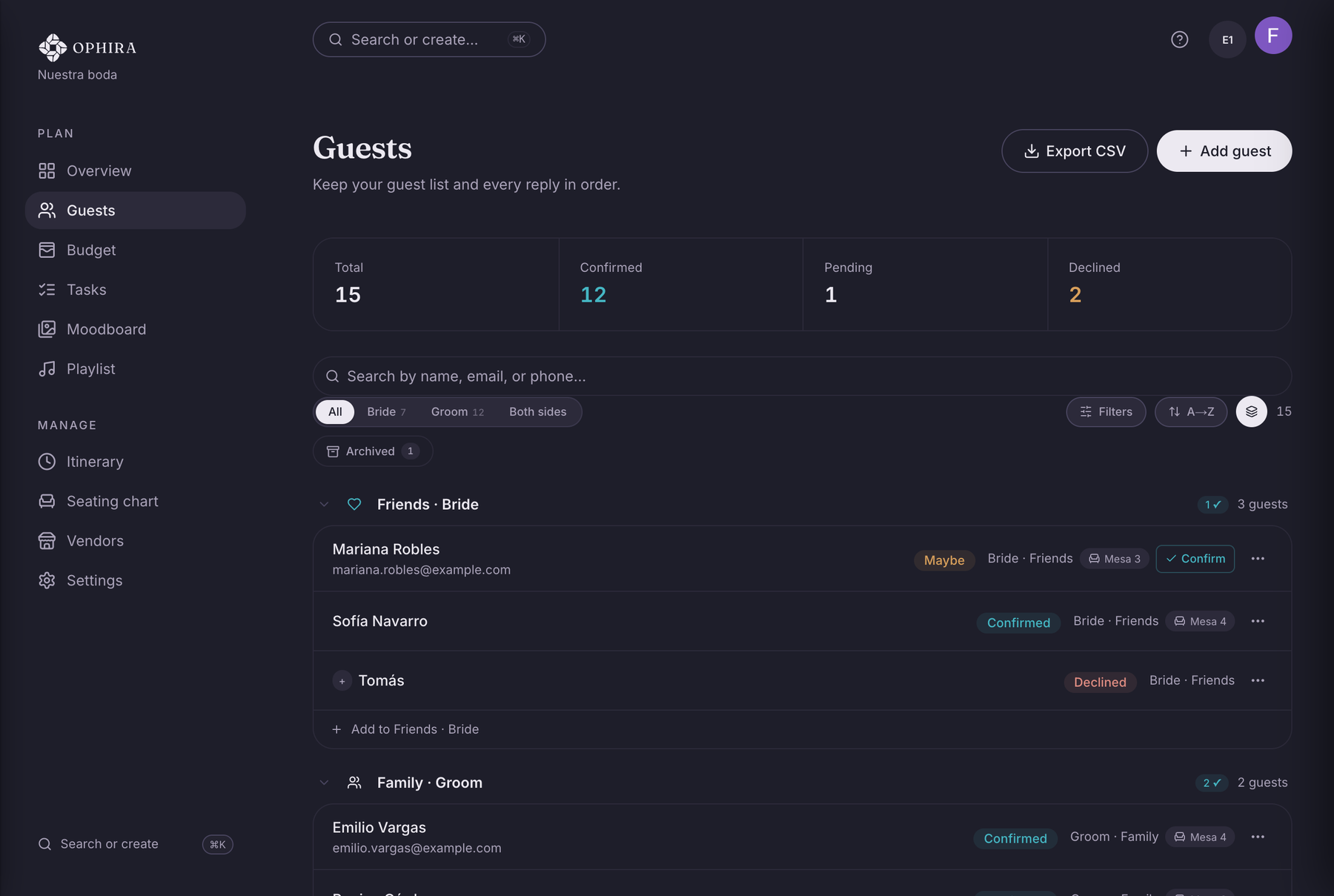
Guests and RSVPs
RSVPs, plus-ones, and both sides of the family in one list that stays current.
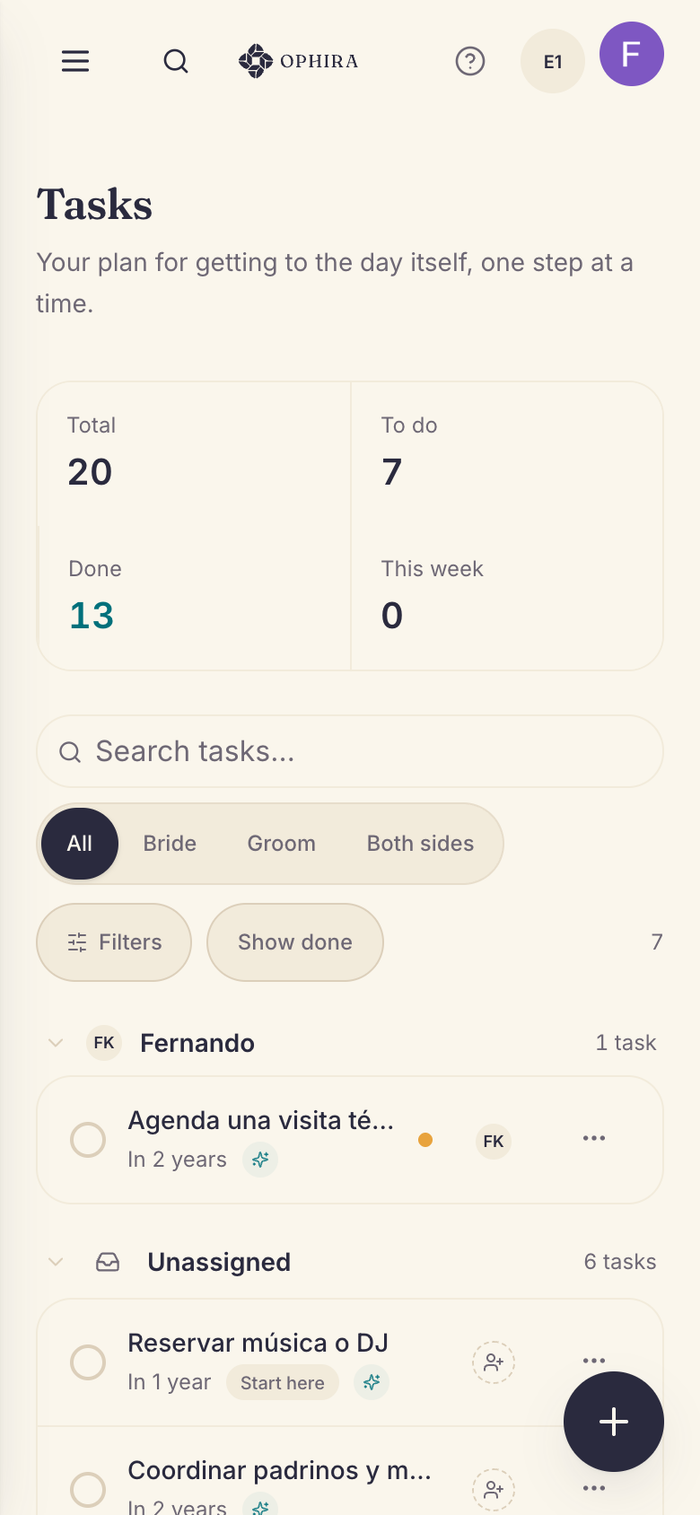
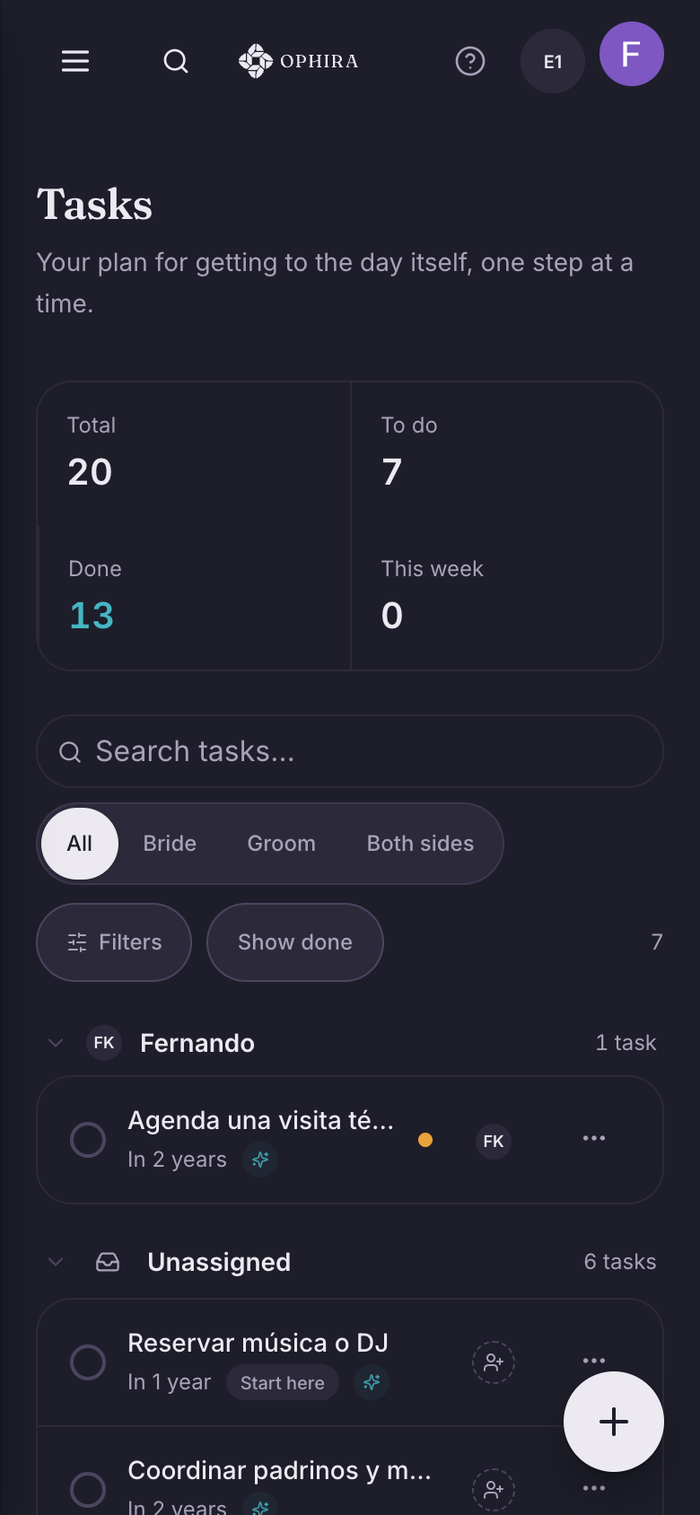
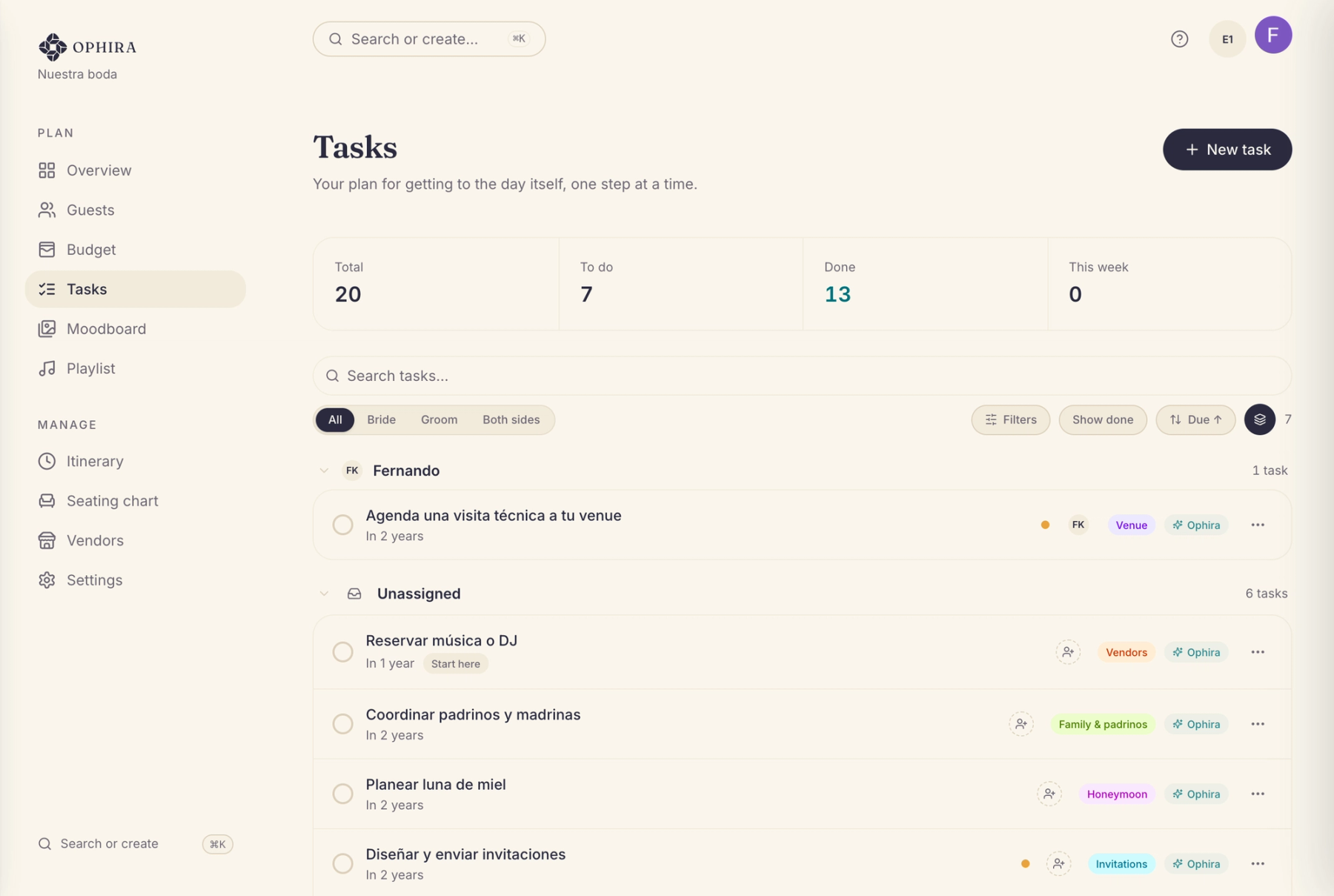
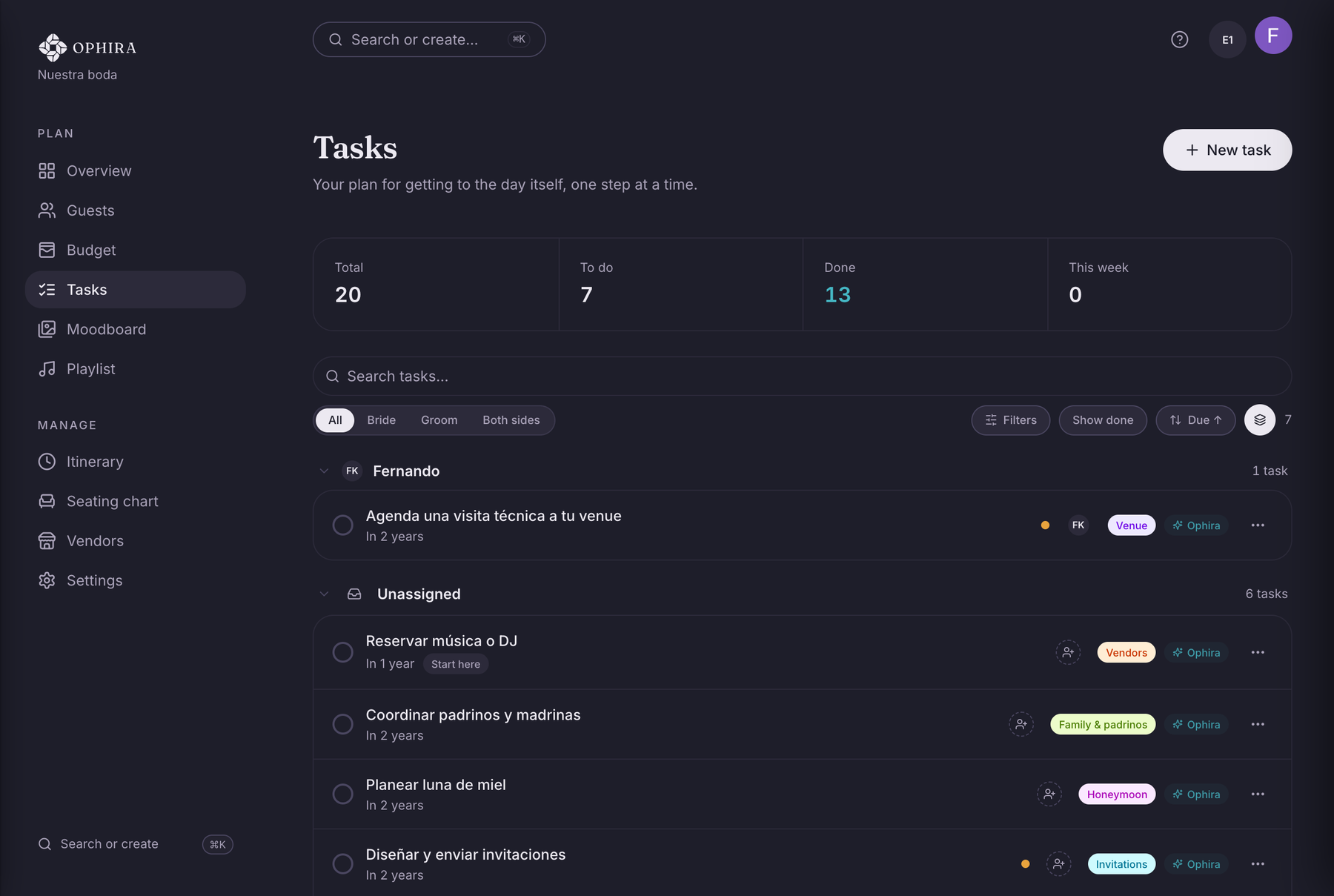
Tasks by stage
Sorted by stage and priority. Open OPHIRA and see what’s next, not everything that’s left.
The tools that carry the weight of it.
Your team, tracked
Keep every vendor (venue, catering, photography, mariachi, officiant) together with where things stand, your notes, and what you’ve paid them. You decide who you move forward with.
Table seating
Set up your tables and seat the guests who’ve confirmed. Seat someone, and whoever they’re bringing sits at the same table.
Your wedding playlist
Paste your Spotify playlist link and share it with your guests by QR code or WhatsApp.
The day, hour by hour
Build your wedding-day timeline with times, places, notes, and which vendors are on for each moment. It flags anything that overlaps, and you can print it for whoever’s coordinating.
A moodboard with a point of view
Upload photos, paste a link, or bring in your Pinterest boards. Only what you’ve already chosen, not an endless feed.
Your list, without retyping it
Import the list you already have as an Excel or CSV file, or your phone’s contacts. The file is read in your browser, and only the people you check are saved.
Straight with you
We’re just starting out. We’d rather you heard it from us.
OPHIRA is in early access. We’re building it with real couples in Mexico, and it gets better every week. Sign up from this page and the app comes up in English: your budget, your guest list, your tasks, and the emails we send you. We’re not going to show you testimonials yet. We’d rather you try it and tell us what you think.
Why it’s free for the two of you
Vendors pay for OPHIRA. They pay to reach you, and that only happens when you ask for quotes. That’s why your plan costs nothing, and isn’t a limited version of a paid one.
Private by design
Your budget and your guest list live in your space. We never share them with anyone without your permission.
No pressure tactics
No fake scarcity, no guilt emails, no dark patterns. You move at your own pace, and you can leave whenever you want.
Common questions
What does OPHIRA cost for couples?
Nothing, for the two of you. No credit card, no trial that expires, no limited version. Vendors cover the cost. They pay to reach you, and that only happens when you ask for quotes.
Does OPHIRA hand me a list of vendors?
No. OPHIRA is your own private place to plan: budget, guests, tasks, and the seating chart. If you want quotes, you’re the one who asks, and only verified vendors who cover the state where you’re getting married, not where you live, in the category and budget range you asked about, can reply.
What’s included in the free plan?
All the planning tools: a budget in pesos with categories and payments, a guest list with RSVP tracking, tasks by stage, a seating chart, and a moodboard. You can also request quotes from verified vendors. Nothing is held back for a paid tier. The one thing that costs money is a seat for a third person, like a planner or a parent.
Can I plan together with my partner?
Yes, and your partner is included at no cost. The two of you work from the same budget and the same list, so there’s never a second version floating around. If someone else is helping you plan, a parent or a planner, you can give them their own access on a paid seat, and remove it whenever you want.
What happens to my data?
Your budget and your guest list live in your private space. Nothing is shared with vendors or anyone else without your permission. If you want your account deleted, you write to hola@ophira.mx and someone on the team does it with you. We deliberately don’t put an irreversible button in the panel.
Do I need experience planning events?
No. You answer a few questions (date, estimated budget, priorities) and OPHIRA sets you up with real budget categories and tasks already sorted by stage.
We live in the US. Can we plan a wedding in Mexico with OPHIRA?
Yes. That’s the case it’s built for. You set the state where the wedding happens, and vendor matching follows that, not where you live. Budgets are in pesos, which is the currency you’ll actually be quoted in.
Is the app itself in English?
Yes. Sign up from this page and your account is set to English from the start, including the app, our emails, and the help center. One thing stays in Spanish on purpose. Anything that goes out to a Mexican vendor on your behalf, like a quote request, reaches them in their language.
Still have a question? Visit the help center
You bring the vision.OPHIRA keeps it on track.
Set up your private space in a few minutes. Budget, guests, and tasks together, with the next step always in view. Free for the two of you, and no credit card.
Create my spaceYour information is private from the first thing you type.